· Unified Networks · Wi-Fi · 7 min read
A Month Before Move-In, Sean Found Out His New Build in Dublin Had No Fibre
Sean was a month away from moving into his new County Dublin home when he found out fibre was not available. We carried out a Wi-Fi survey, built a heatmap plan, installed 8 UniFi access points, and integrated Starlink for a fast, stable setup from day one.

If a new build has no fibre a month before move-in, the solution has to be practical, fast, and planned around how the house will actually be used.
Most people lose time and money here by changing hardware, changing providers, or applying random fixes before proving where the real bottleneck sits.
This guide shows what usually causes the issue, what a sensible fix path looks like, and when it makes sense to move from DIY testing to a proper site plan.
If you need help in Dublin or surrounding areas, the closest starting point is Wi-Fi site survey and heatmap, and the next most relevant path is Wi-Fi installation and setup.
The problem was bigger than just “no fibre”
On paper, the broadband issue was simple. There was no fibre service available yet.
But inside the house, there was another challenge waiting.
This is a modern build with thick insulation and soundproofing between rooms. Sean also has two offices he will be working from, so stable internet matters more than just getting a basic connection up and running.
That kind of house can look perfect and still be hard on Wi-Fi.
If you leave network planning until after move-in, you usually find out the hard way:
- one office is fine
- the other office is not
- the TV works in one room but drops in another
- calls fail in the spots you actually use most
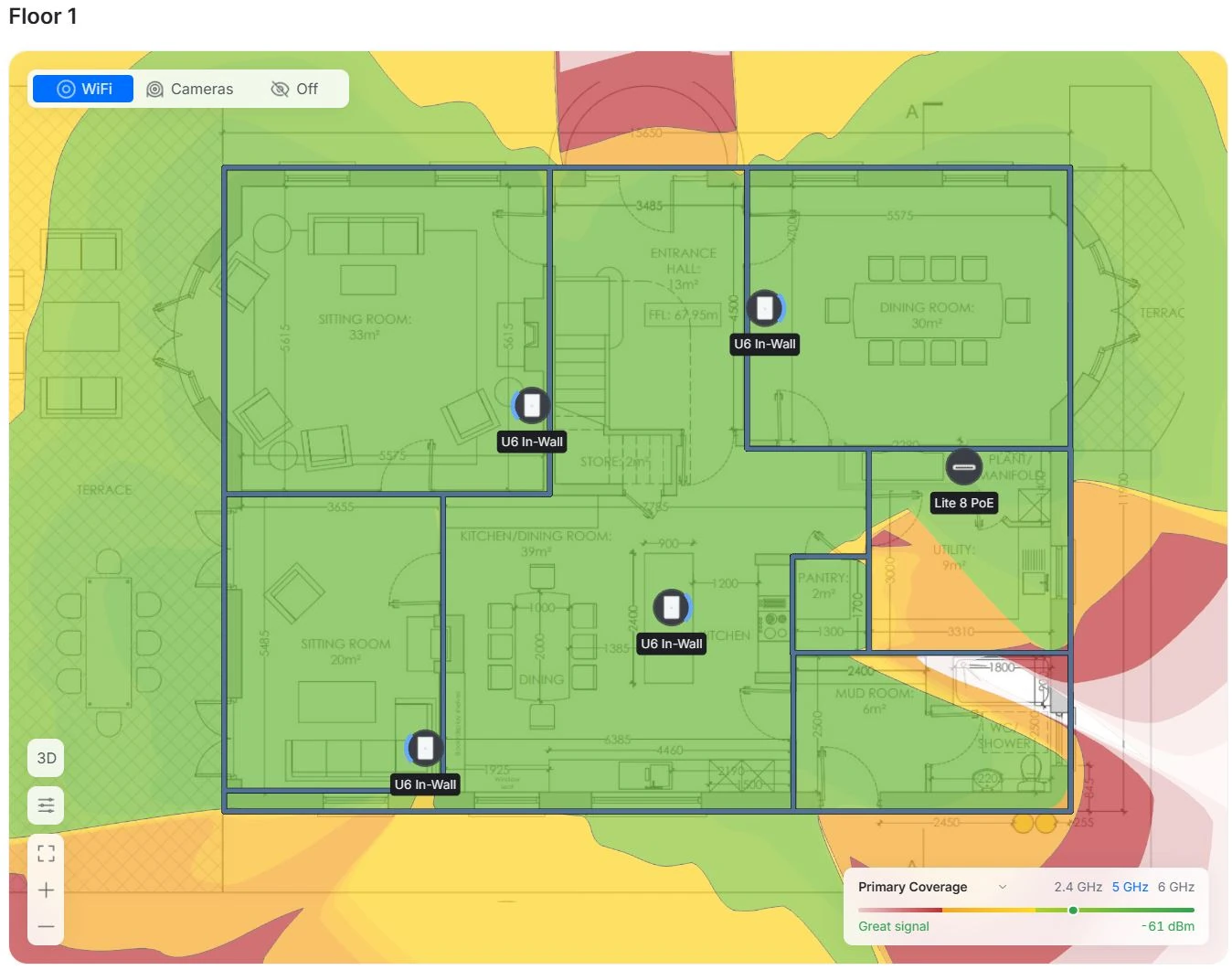
That is why this job started with a Wi-Fi site survey and heatmap report, not a guess.
We planned the network before the problem showed up
The first step was a consultation and survey.
We looked at how Sean would actually use the house, not just where the broadband came in. That matters. A network should be built around the rooms people live and work in, not around the easiest place to stick a router.
From there, we produced heatmap plans for the property and worked out what the house would need for proper long-term coverage.
The result was clear.
The main house needed 8 access points to give strong, consistent Wi-Fi throughout the building.

That might sound like a lot to someone used to a single ISP router. But in a large modern home with dense construction, multiple work areas, and long-term expectations, this is exactly why planning matters.
Without a survey, people often underbuild the network, move in, and then spend months trying to patch dead spots with extenders and hope.
The broadband fix: Starlink, done properly
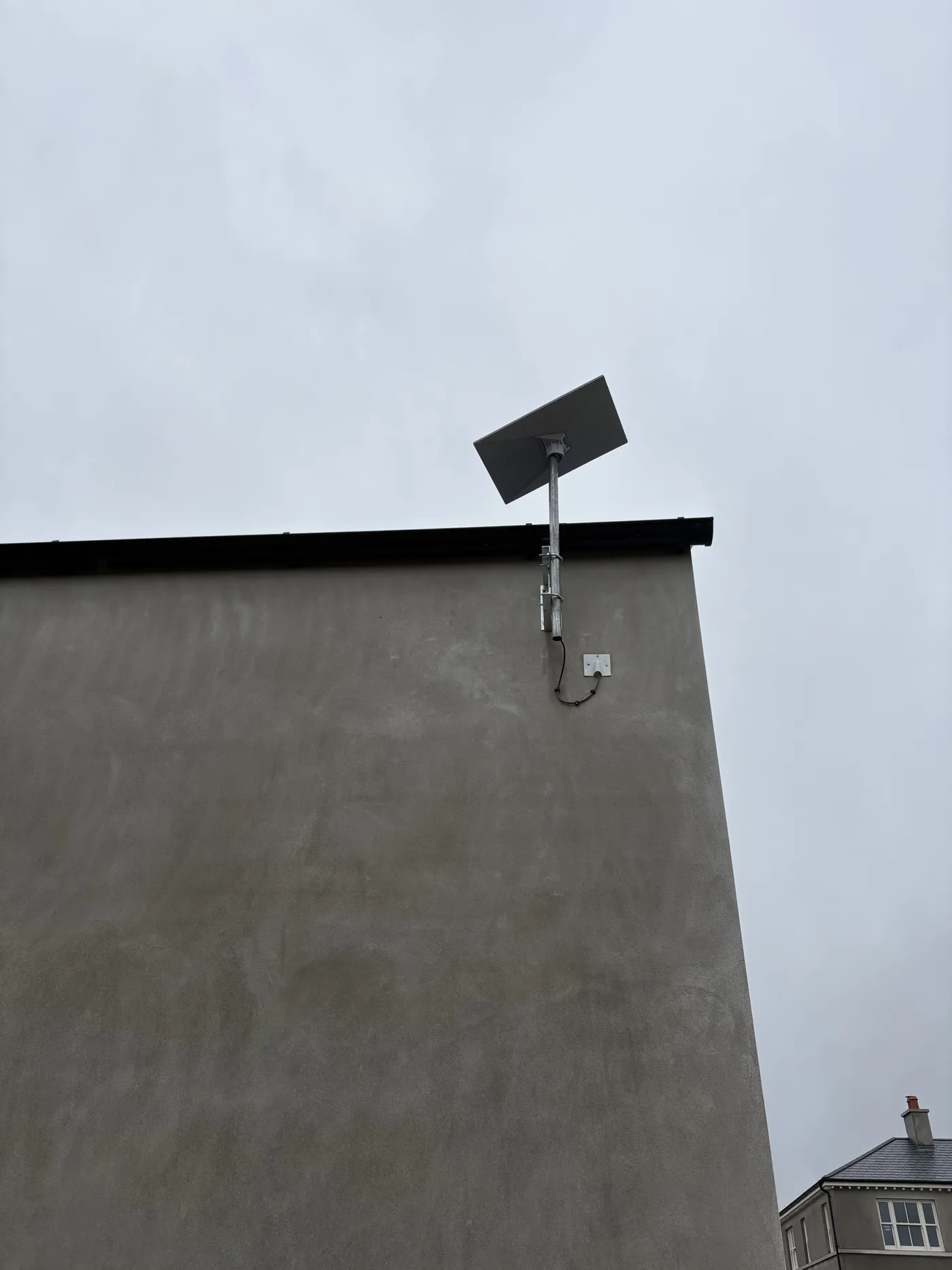
Because fibre was not available, we installed Starlink as the broadband connection.
The Starlink side was set up neatly and kept out of view at the back of the outbuilding. That way the install stayed clean without leaving broadband hardware as a visual eyesore.

The outbuilding uses the Starlink router for its own Wi-Fi, and we provided a backbone link from the outbuilding back to the main house so the internal network could be built properly from there.
This is the bit people often miss with new builds and larger properties:
getting internet onto the property is only one part of the job
getting that internet around the property properly is the real network design work
If you need help with that side specifically, we offer Starlink installation and network integration as a standalone service.
If you want the broader rural context behind installs like this, read How Starlink Changed Rural Internet in Ireland.
The gear we used in the main house
For the main house, we built the network around:
- UniFi U7 In-Wall access points
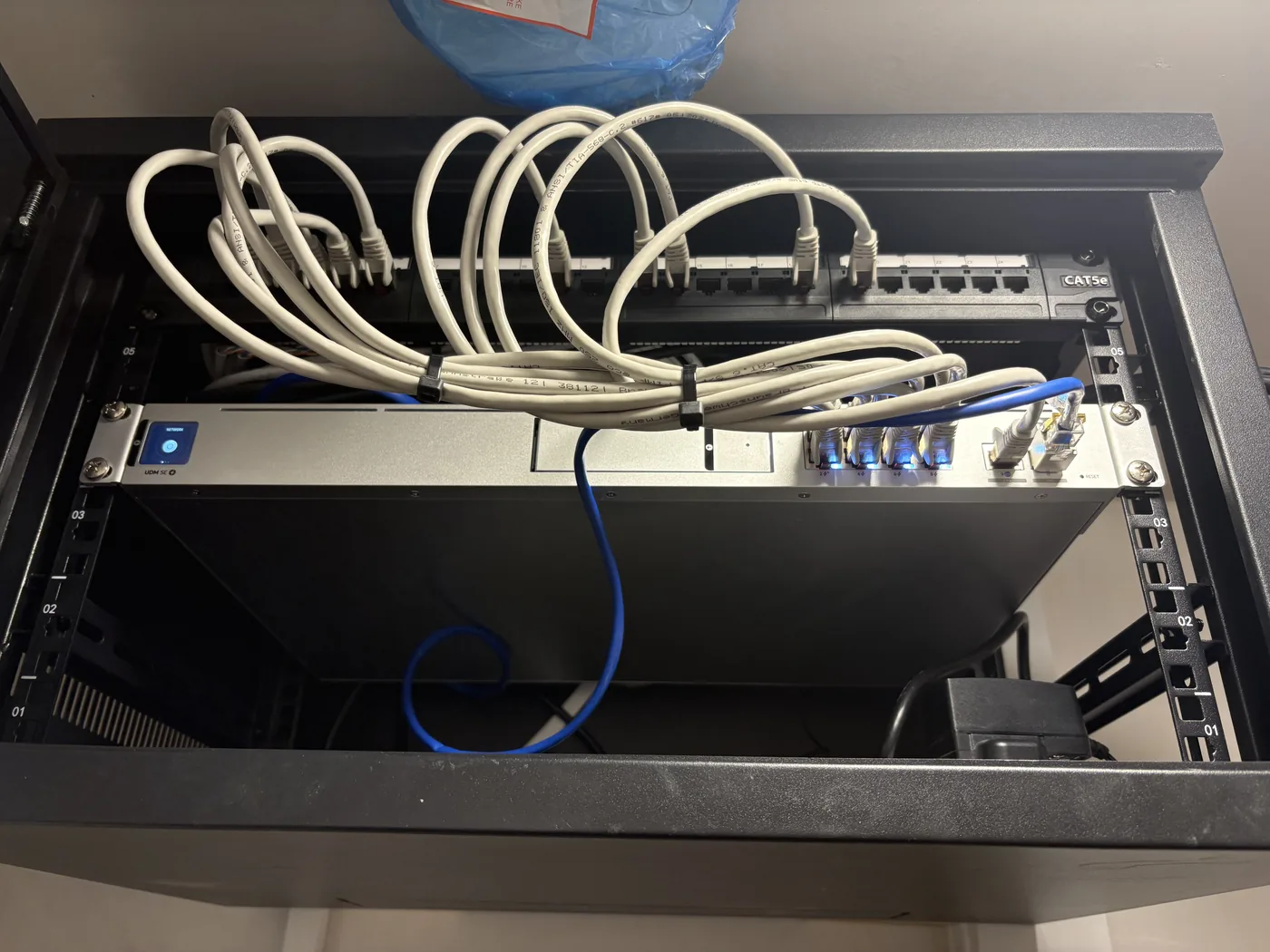
- UniFi Dream Machine SE
- a network switch to activate and distribute the home’s ethernet sockets
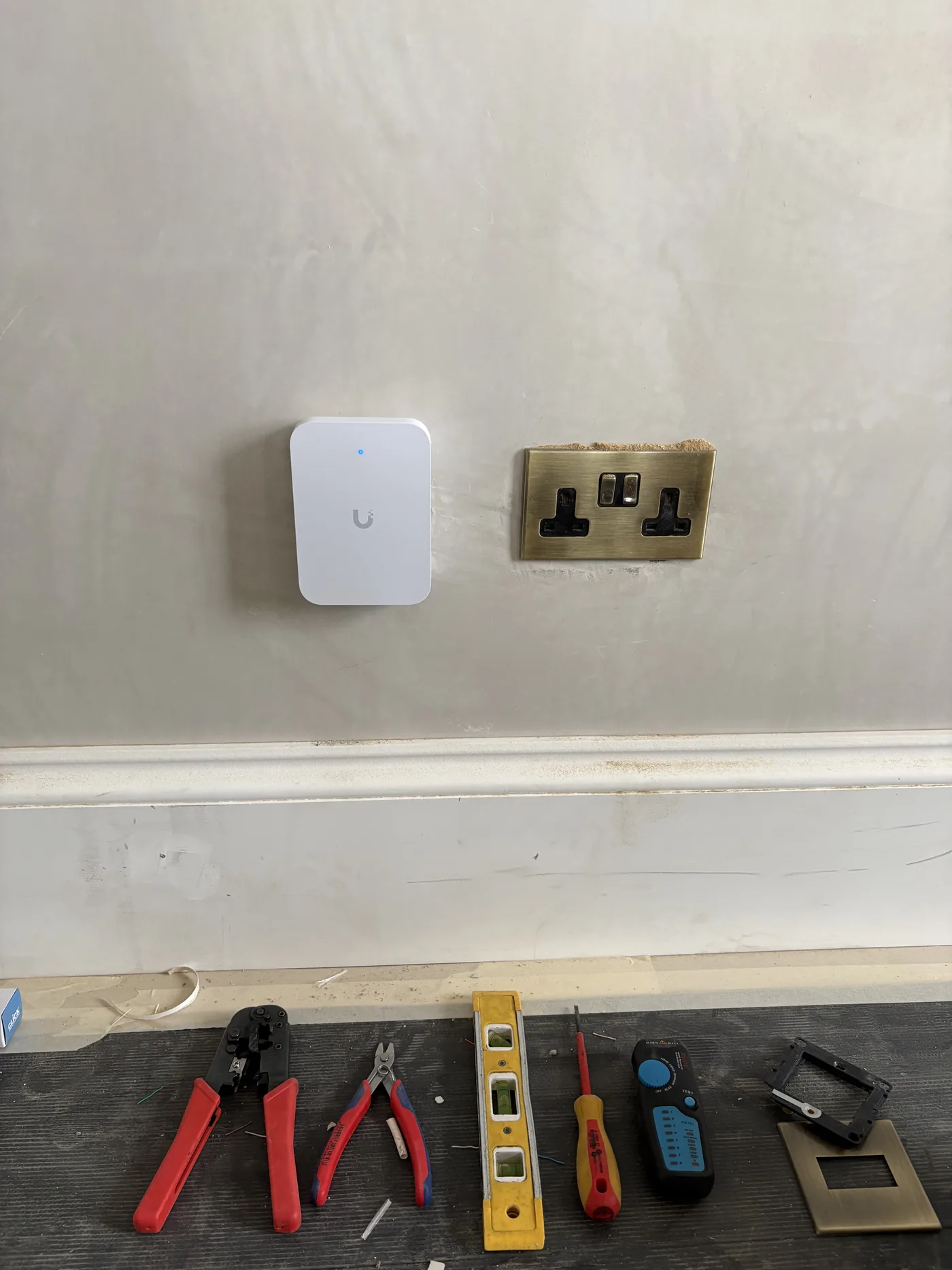
The in-wall access points made sense here because they gave us a clean look and practical coverage through the house without turning the place into a tech showroom.
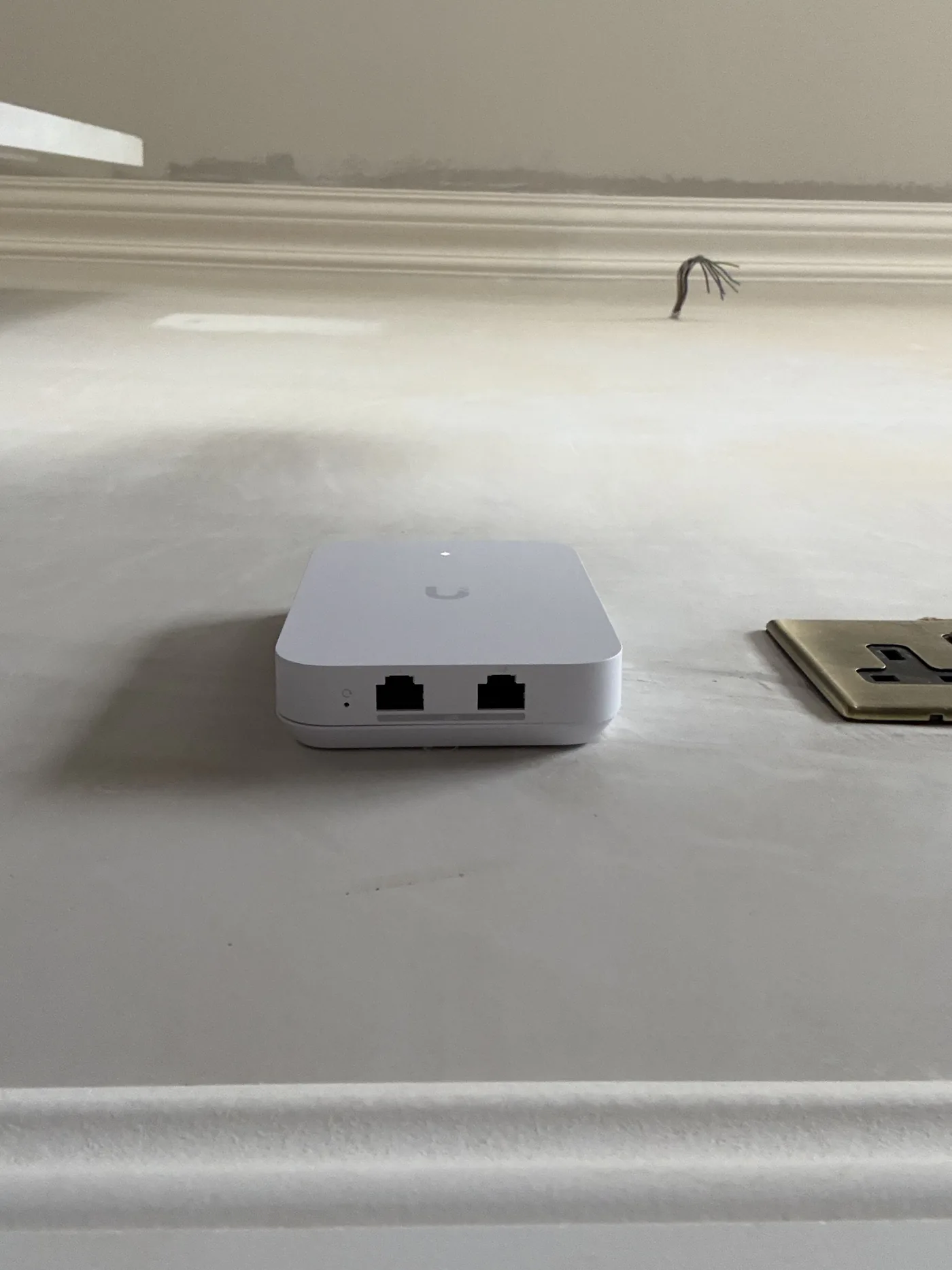
They are also PoE powered, which means Power over Ethernet. So they do not use up electrical sockets, and there are no visible power cables hanging around the rooms.
That matters in a brand new house. You get proper Wi-Fi where you need it, but the finish still stays neat.
Another big advantage is that each in-wall unit also gives Sean 2 extra ethernet ports in the room. That means devices like printers, TVs, Sky boxes, or any other kit that needs ethernet can be connected locally without adding messy extra gear.


And the switch matters more than most new build owners realise.
Many homes have ethernet sockets installed during the build, but they are not actually useful until they are connected properly at the central point. We covered that in more detail here: Ethernet Sockets in Your New Build Don’t Work? Here’s What’s Missing.

So this was not just a “put in better Wi-Fi” job.
It was a full plan to make sure the broadband, wired backbone, access points, and room-by-room use all worked together from day one.
The result Sean got
Once installed, Starlink delivered around 400 Mbps download and 40 Mbps upload.
For this home, that is more than enough.
It gives Sean solid capacity for:
- two home offices
- video calls
- streaming
- everyday devices across the house
- the kind of connected-home usage most new builds grow into over time
More importantly, the house is set up properly before move-in.
Sean does not need to wait until he is living there to discover that one office drops calls or that the Wi-Fi falls apart in the rooms that matter most.
That is the real win here.
Why this matters for new build homes in Ireland
This job is a good example of why new build network planning matters so much.
People often assume that a brand new house should automatically have great Wi-Fi and easy broadband. But new builds regularly run into two problems:
- Fibre is not live yet, even when the house is nearly complete.
- Modern building materials make one-router Wi-Fi far less reliable than people expect.
So if you are building or moving into a new home in Ireland, the best time to deal with broadband and Wi-Fi is before you unpack, not after.
That gives you time to:
- choose the right broadband option if fibre is delayed
- place access points where they will actually work
- use the ethernet cabling in the house properly
- avoid dead zones in offices, bedrooms, and TV areas
- build something that will still feel solid years from now
That is what “new build done right” really means on the network side.
When to stop guessing
If this issue affects work, payments, move-in deadlines, customer experience, or the rooms people rely on every day, it is usually cheaper to diagnose it properly than to keep layering on random fixes.
Bottom line
Sean was a month away from moving into his new County Dublin home when he found out fibre was not available. We carried out a Wi-Fi survey, built a heatmap plan, installed 8 UniFi access points, and integrated Starlink for a fast, stable setup from day one.
If you want help with this in Dublin or surrounding areas, start with Wi-Fi site survey and heatmap, Wi-Fi installation and setup, or book a consultation.