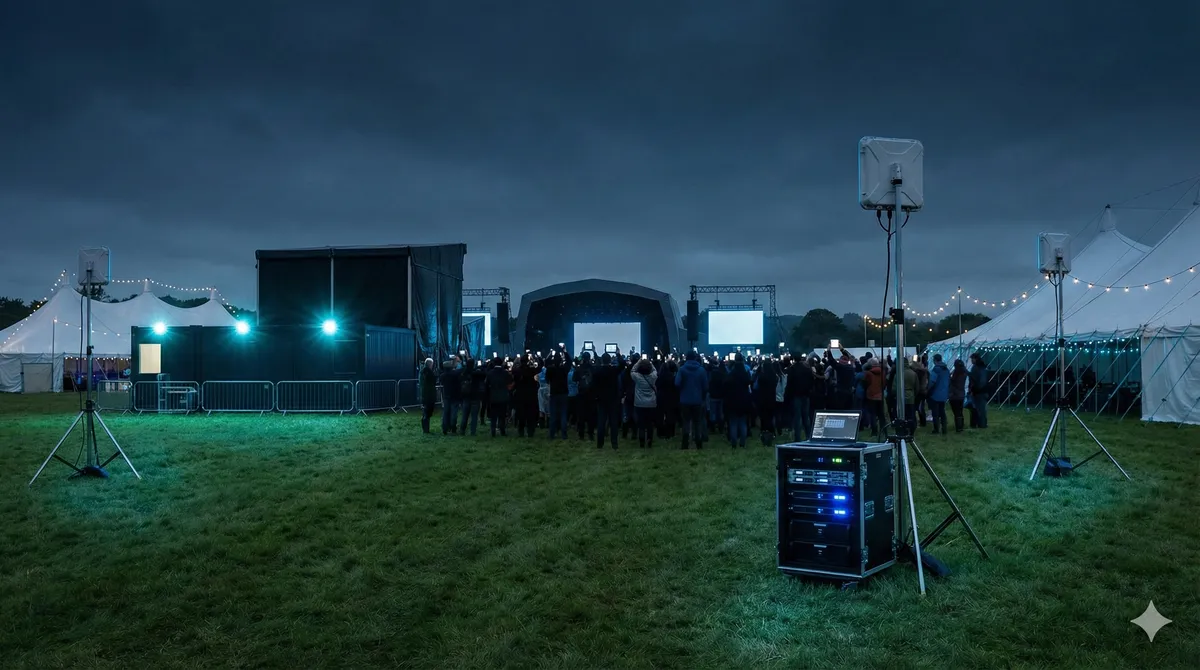
If an event depends on payments, ticketing, staff tools, or attendee Wi-Fi, capacity and coverage planning have to be completed before choosing equipment or reaching event day.
If you need help in Dublin or surrounding areas, the closest starting point is event Wi-Fi and temporary broadband, and the next most relevant path is guest Wi-Fi for business.
Why event Wi-Fi fails
Most failures are predictable.
Common causes:
- not enough capacity for real attendee numbers
- poor access point placement
- no separation between critical traffic and guest traffic
- no backup path for line failure
- testing too late
And the classic one: “We tested yesterday with 10 people, so we are good.”
Ten people is not two thousand people.
Start with traffic priorities
Before hardware, list what must stay online:
- ticket scanning
- payment terminals
- vendor systems
- staff comms
- production systems
- guest internet
Not all traffic is equal.
Critical services need priority over guest browsing.
If you treat everything the same, your key systems will suffer exactly when crowd load spikes.
Temporary broadband options
In Ireland, event setups usually combine one or more of these:
- fixed broadband from venue (if suitable)
- temporary 4G/5G links
- Starlink where practical
- mixed links with failover
The right mix depends on site, expected attendance, and what has to stay online no matter what.
For resilience, pair event setup with internet failover and backup connectivity.
Guest Wi-Fi and staff operations should be separated
This is a big one.
Guest users should not sit on the same network as operations.
Why:
- lower risk
- better stability for staff systems
- easier troubleshooting during live events
If your event has public access Wi-Fi, use proper guest Wi-Fi separation.
Planning timeline
4-6 weeks out
- define attendance range
- define critical systems
- map coverage zones
- lock internet source options
2-3 weeks out
- finalize equipment and layout
- set traffic priorities
- test primary and backup paths
1 week out
- run rehearsal checks
- verify payment/ticketing paths
- verify staff access workflows
event day
- monitor core services
- keep change control tight
- avoid random last-minute network changes
This process sounds basic, but skipping one step causes most event-day panic.
Typical mistakes that cost events money
- relying on one internet line only
- putting APs where there is power, not where users are
- no traffic policy for high-priority services
- allowing vendors to plug in random gear on event day
- no clear ownership of network decisions
You want one person or one team with final say on network changes during the event.
Too many cooks on live day is a recipe for chaos.
Festival and outdoor events
Outdoor events add extra problems:
- weather exposure
- cable safety
- uneven crowd density
- temporary structures blocking paths
So site design must account for changing crowd patterns and physical constraints.
This is often where temporary point-to-point links help connect distant zones. If needed, point-to-point wireless bridge installs can bridge hard areas cleanly.
If you want the non-service breakdown of when wireless bridging beats trenching, read Point-to-Point Wireless in Ireland.
Rent or buy equipment?
For one-off events, rental usually makes sense.
For recurring events or permanent venues, buying can make sense long term.
The right choice depends on frequency and in-house capability.
A lot of clients use both:
- buy core gear for permanent use
- rent extra gear during peak events
Post-event review (most people skip this)
After the event, review:
- what held up well
- where congestion hit hardest
- where support tickets came from
- which zones need more capacity next time
That review gives you a better setup for the next event.
No review means repeating the same mistakes.
Bottom line
Planning event Wi-Fi in Ireland? This guide covers capacity, temporary broadband, guest access, and the most common mistakes that break connectivity on event day.
If you want help with this in Dublin or surrounding areas, start with event Wi-Fi and temporary broadband, guest Wi-Fi for business, or book a consultation.