· Unified Networks · Hardware  · 5 min read

Why Critical Locations Cannot Rely on One Internet Line: Water Treatment Facility Case Study

A remote water treatment facility was stuck on a 10 Mbps download and 1 Mbps upload DSL line. We installed a Starlink Enterprise primary connection with 5G failover to show why critical locations need backup internet, not just faster internet.

A remote water treatment facility was stuck on a 10 Mbps download and 1 Mbps upload DSL line. We installed a Starlink Enterprise primary connection with 5G failover to show why critical locations need backup internet, not just faster internet.

If your site cannot tolerate an outage, faster internet alone is not the answer.

Most people lose time and money here by changing hardware, changing providers, or applying random fixes before proving where the real bottleneck sits.

This guide shows what usually causes the issue, what a sensible fix path looks like, and when it makes sense to move from DIY testing to a proper site plan.

If you need help in Dublin or surrounding areas, the closest starting point is internet failover, and the next most relevant path is Starlink installation.

Faster internet helps. Failover is what protects the site.

A lot of people focus on speed first.

And yes, speed mattered here. Moving from 10/1 DSL to a Starlink-based setup is a major jump.

But at a critical location, the more important question is this:

What happens when the main connection drops?

If the answer is “everything stops,” then the site is still exposed.

That is why failover matters so much for remote and critical locations in Ireland.

The setup we installed

For this site, we installed:

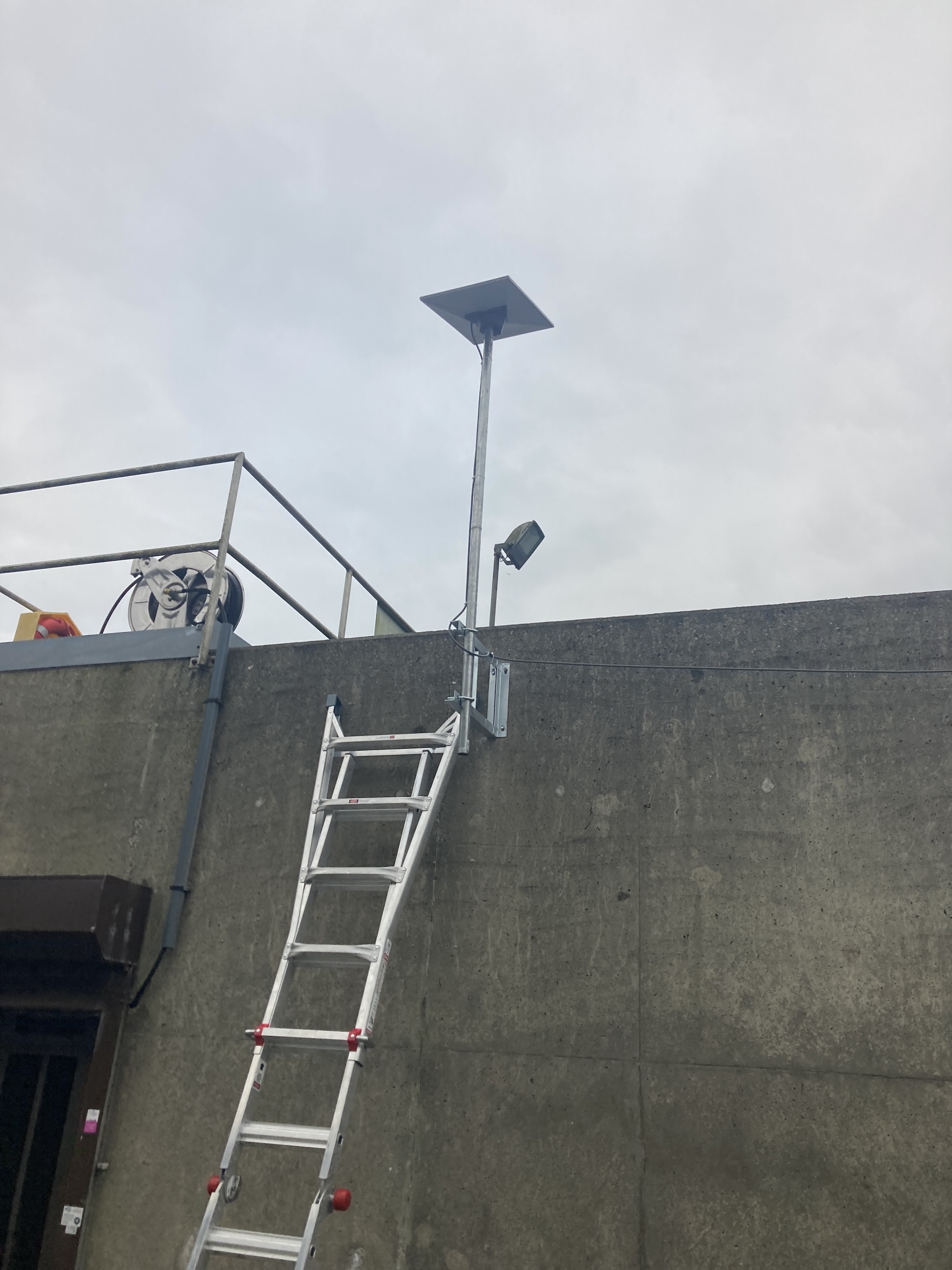
  • Starlink Enterprise as the main broadband connection
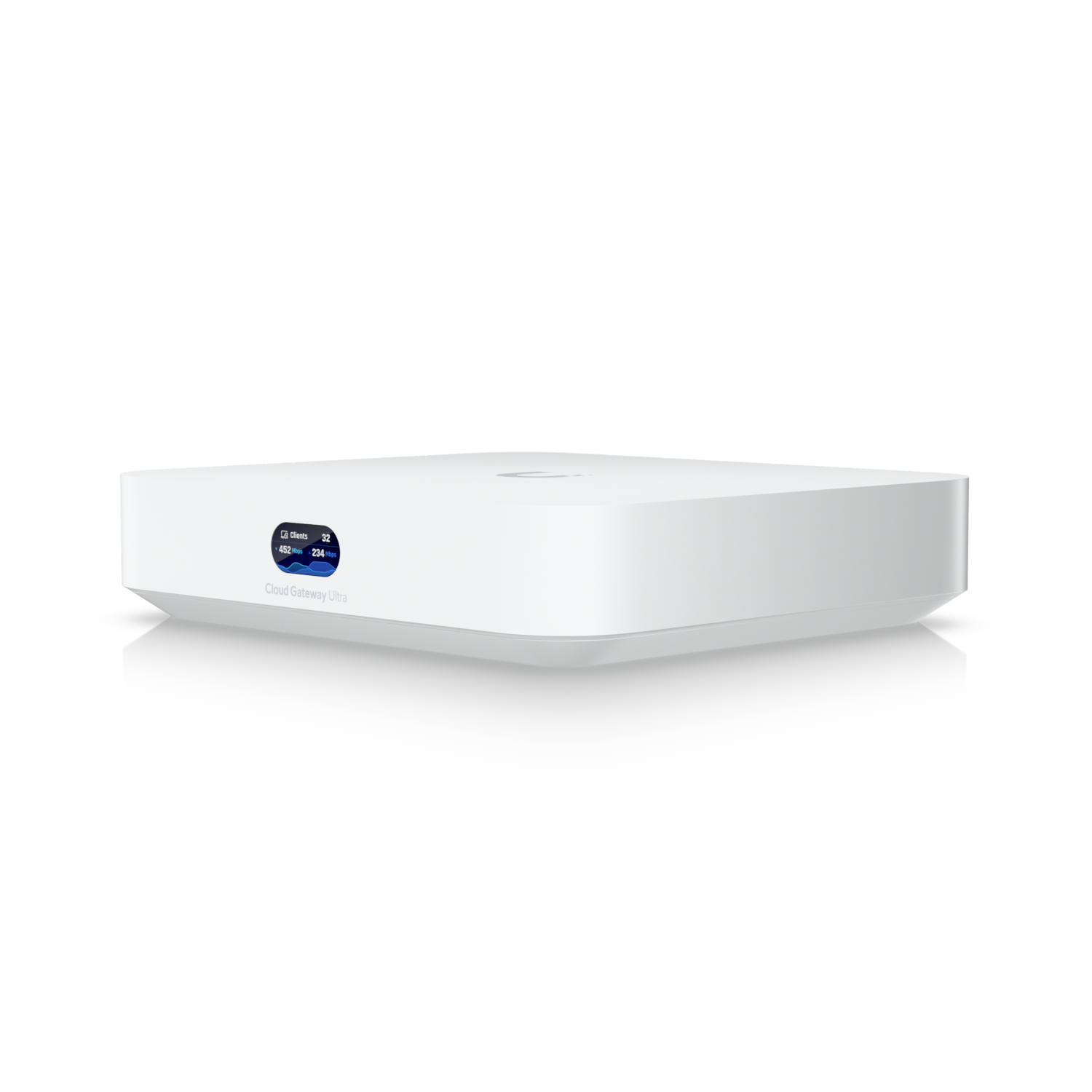
  • a failover gateway to manage the internet handoff
  • a 5G router as the backup connection

So the main connection is Starlink, and if that path has a problem, the gateway can fail over to 5G instead of leaving the site offline.

Failover gateway installed for Starlink and 5G backup at a remote water treatment facility in Ireland
The failover gateway gives the site a proper primary and backup internet path instead of relying on one line.

That is the difference between “better broadband” and “resilient broadband.”

Why this matters more in remote locations

Remote sites usually have fewer good options.

Fibre may not be available. DSL may be poor. Mobile signal can vary.

So people often end up choosing the least bad single connection and hoping it behaves.

That is not a great plan for a critical location.

A remote site should be thinking about:

  • what the main connection will be
  • what the backup connection will be
  • how traffic switches over when the main path fails

This site now has a much stronger setup because the design does not depend on one line behaving perfectly forever.

In this location, Starlink made sense because the old DSL line was simply not enough.

Going from around 10 Mbps down and 1 Mbps up to Starlink Enterprise changes what the site can realistically do day to day.

It gives the location a far more usable primary connection, especially in a place where traditional fixed broadband options are weak.

Starlink installed at a remote water treatment facility in Ireland
Starlink gave this remote site a much stronger primary connection than the old DSL line ever could.

But again, Starlink alone was not the full answer.

The full answer was Starlink plus failover.

If you are looking at this kind of setup for your own site, our Starlink installation and network integration service covers the install side properly.

Why 5G backup is still worth having

Some people ask why you would put 5G behind Starlink.

Simple answer: because backup should be different from the main path.

If the main connection has a problem, you want another route available. In many remote locations, 5G is a practical backup option because it is quick to deploy and good enough to carry key traffic during an outage.

Backup links do not always need to match the primary in every way.

They need to keep the important things alive.

That is the real job of failover.

Critical locations should not be designed around hope

This is the part that matters most.

At a critical location, downtime is not just annoying. It can delay operations, remote access, support, reporting, and the general ability to keep the site reachable when it needs to be.

So the design goal should not be:

“What is the fastest single connection we can get?”

It should be:

“What happens when the main connection fails?”

That is the question too many sites ignore until the first real outage.

What failover actually gives you

For a site like this, failover helps with:

  • keeping the location reachable if the main internet path drops
  • reducing the impact of outages
  • avoiding total dependence on one provider or one access method
  • giving the site a more realistic backup plan in a remote area

It is not magic. Some sessions may reconnect during failover. Some services may behave differently on backup bandwidth.

But that is still far better than a hard outage.

If failover is part of what you need, we cover that directly through internet failover and backup connectivity.

The bigger lesson from this job

This water treatment facility is a good example of something we see a lot:

people start by asking for faster internet
but the real requirement is reliable internet

Those are not always the same thing.

A faster line with no backup is still fragile.

A properly designed primary plus backup setup gives the site a much better chance of staying online when something goes wrong.

And for critical locations, that is the standard to aim for.

When to stop guessing

If this issue affects work, payments, move-in deadlines, customer experience, or the rooms people rely on every day, it is usually cheaper to diagnose it properly than to keep layering on random fixes.

Bottom line

A remote water treatment facility was stuck on a 10 Mbps download and 1 Mbps upload DSL line. We installed a Starlink Enterprise primary connection with 5G failover to show why critical locations need backup internet, not just faster internet.

If you want help with this in Dublin or surrounding areas, start with internet failover, Starlink installation, or book a consultation.

Need Help With This Issue?

These are the closest service pages for this topic. If you are not sure which one fits, start with a consultation and we will route you properly.

Internet Failover Dublin

Internet failover in Dublin with automatic backup switching for businesses and sites that cannot afford downtime.

View service page

Starlink Installation Dublin

Starlink installation in Dublin with mounting, cable routing, alignment, and clean integration into your internal Wi-Fi setup.

View service page

Internet and Wi-Fi Troubleshooting Dublin

Troubleshoot slow internet, weak Wi-Fi, call drops, and unstable devices in Dublin with clear diagnosis and practical fixes.

View service page

Related Articles

Read these next to keep building your network knowledge:

View all posts »
Back to Blog