· Unified Networks · Hardware · 4 min read
Cat6 vs Cat6a in Ireland: Which Data Cabling Should You Install?
A practical Irish guide to Cat6 vs Cat6a for data cabling, including speed, distance, cost, and where each cable type makes sense.
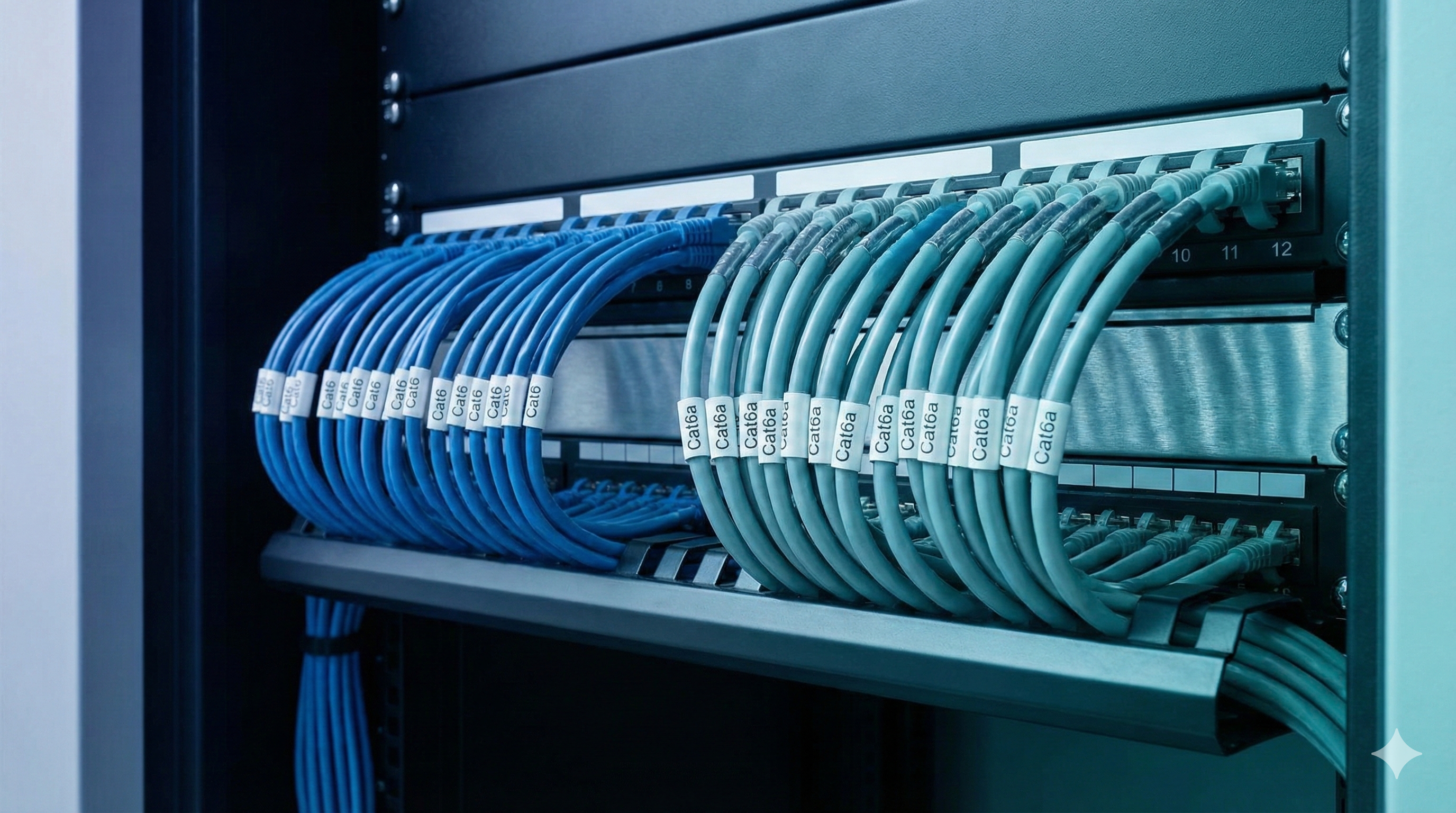
If you are planning data cabling for a home, office, or refit, the wrong question is usually not which cable sounds better, but what performance the site actually needs.
If you need help in Dublin or surrounding areas, the closest starting point is data cabling, and the next most relevant path is Wi-Fi installation and setup.
First, what is the real difference?
Keep it simple.
Both are Ethernet cable standards.
Cat6:
- widely used
- handles gigabit very well
- lower cost and easier to work with
Cat6a:
- thicker and usually stiffer
- better noise resistance
- better fit for higher-speed goals over longer runs
In plain terms, Cat6a gives more headroom, but Cat6 is often perfectly good for normal home and office use.
Where Cat6 is usually the right call
Cat6 is often enough when:
- run lengths are moderate
- you want solid gigabit performance
- environment is not very noisy electrically
- budget and install simplicity matter
For many houses, Cat6 is the sweet spot.
It supports:
- access points
- TVs and streamers
- office desks
- consoles
- printers
- cameras
Without making installation harder than it needs to be.
Where Cat6a can be worth it
Cat6a makes sense when:
- cable runs are longer
- environment has more electrical noise
- you are planning higher-speed backbone links
- you want extra long-term headroom
It can also make sense in larger business sites where cable replacement later would be disruptive.
So yes, there are cases where Cat6a is worth paying extra for.
If one of those runs is heading to an outbuilding or remote office, compare that with Point-to-Point Wireless in Ireland before you commit to trenching.
New builds: think ahead once
New builds are the best time to get this right.
Once walls are closed and the house is fully occupied, every missed cable run becomes more expensive and more annoying.
If you are building, also read: New Build Wi-Fi Is Harder Than It Looks (And What to Do Before You Move In).
You do not need to cable every possible corner like a data center.
But you should cover the rooms where people will actually work, stream, and connect fixed devices.
Real-life planning examples
Example 1: family home
Needs:
- strong Wi-Fi on both floors
- office room wired connection
- TV points wired
Good fit:
- Cat6 to key rooms
- one or two ceiling AP points
- one run to attic for future use
No need to overbuild.
Example 2: office with growth plans
Needs:
- heavier device load
- more users over time
- cleaner backbone for switches/APs
Good fit:
- Cat6a on trunk/backbone runs
- Cat6 or Cat6a to desk zones depending on layout
- proper cabinet and labeling
That gives flexibility without wasting budget on unnecessary overkill everywhere.
Do not forget the cabinet side
Cable type matters, but so does cable management.
A tidy cabinet and patch panel setup saves huge time later.
Without it, even good cabling turns into a mess when changes happen.
With it, faults are easier to trace and upgrades are straightforward.
Mistakes to avoid
- choosing cable type based on forum arguments
- no plan for AP points
- no spare path for future additions
- poor labeling
- mixing random cable quality levels across one project
And the big one:
Spending all budget on “faster cable” while ignoring layout and Wi-Fi design.
Better placement beats expensive cable choices in many real homes.
Cable choice and Wi-Fi quality
Remember, good cabling supports good Wi-Fi.
If your APs are fed by clean wired links, your wireless network is easier to keep stable.
That is why cabling and Wi-Fi planning should be done together.
If needed, combine cabling with Wi-Fi installation and setup so coverage and backbone are planned as one system.
Cost vs value
People ask this all the time:
“Should I pay extra now for Cat6a just in case?”
Fair question.
Answer depends on context:
- if runs are simple and goals are modest, Cat6 is often plenty
- if this is a business-critical site with long runs and growth plans, Cat6a can be worth it
There is no one-size-fits-all answer.
But there is a wrong answer: deciding without a site plan.
Quick decision checklist
Use this before you choose:
- what speeds do you really need now?
- what are you likely to need in 3-5 years?
- how long are your cable runs?
- is the site electrically noisy?
- how expensive would replacement be later?
Once you answer those, the Cat6 vs Cat6a decision gets much easier.
When to stop guessing
If this issue affects work, payments, move-in deadlines, customer experience, or the rooms people rely on every day, it is usually cheaper to diagnose it properly than to keep layering on random fixes.
Bottom line
Choosing between Cat6 and Cat6a? Here is a practical Irish guide on speed, distance, cost, and where each cable type makes sense in real properties.
If you want help with this in Dublin or surrounding areas, start with structured cabling, Wi-Fi installation and setup, or book a consultation.
- cat6
- cat6a
- structured-cabling
- new-build
- ireland